
EZVIZ H6C Review: Is The Budget Indoor Camera Worth Buying?
When I was offered the EZVIZ H6C indoor camera to review, I was interested to see how it compared with the other EZVIZ cameras I’ve used. I’ve previously tried both indoor and outdoor cameras from the brand, so I was already familiar with the EZVIZ app and had a reasonable idea of what to expect.
The H6C is one of the more affordable indoor cameras in the range, with pan-and-tilt functionality that lets you see much more of a room than you would with a fixed camera. I’ve been trying it at home to see how easy it is to set up, what the picture quality is like and, most importantly, whether it’s actually useful day to day.
If you’ve landed here searching for an EZVIZ H6C review because you’re wondering whether it’s worth buying, here’s what I thought.
Disclosure: I was gifted the EZVIZ H6C for the purpose of this review. All opinions and experiences shared are my own.
This is a collaborative post.
What is the EZVIZ H6C?
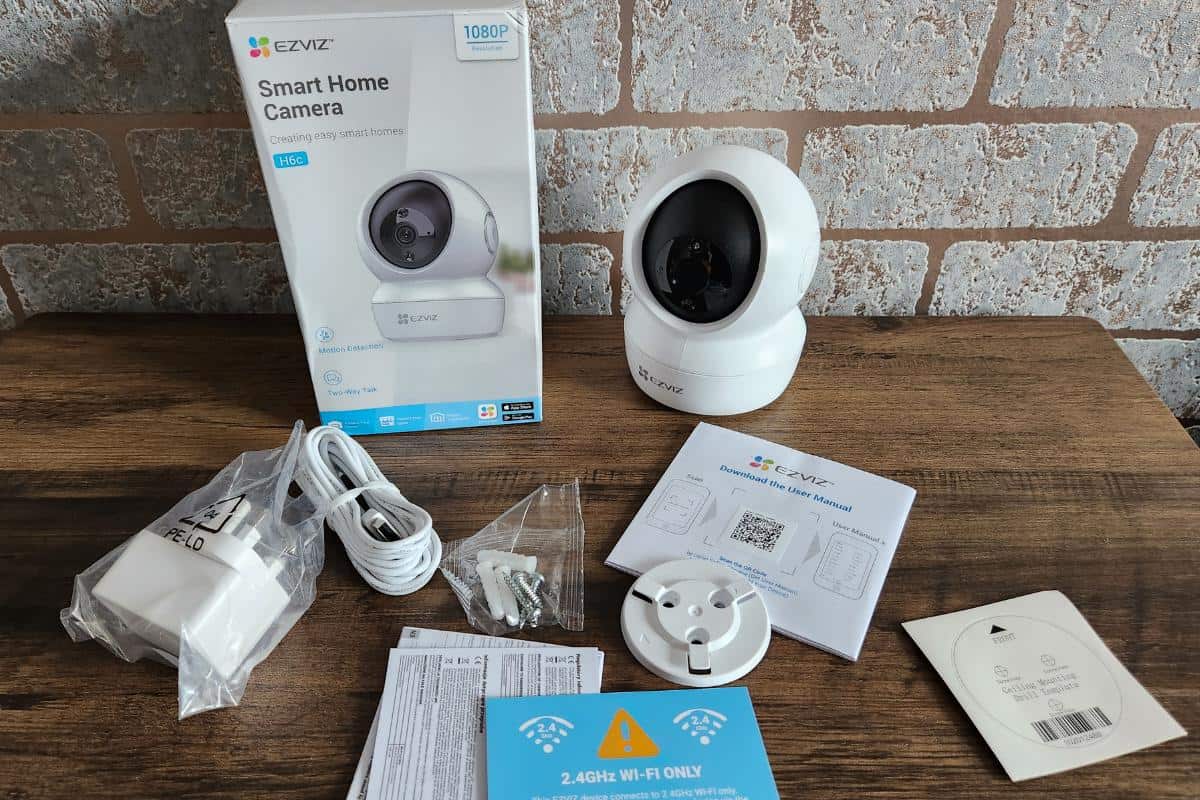
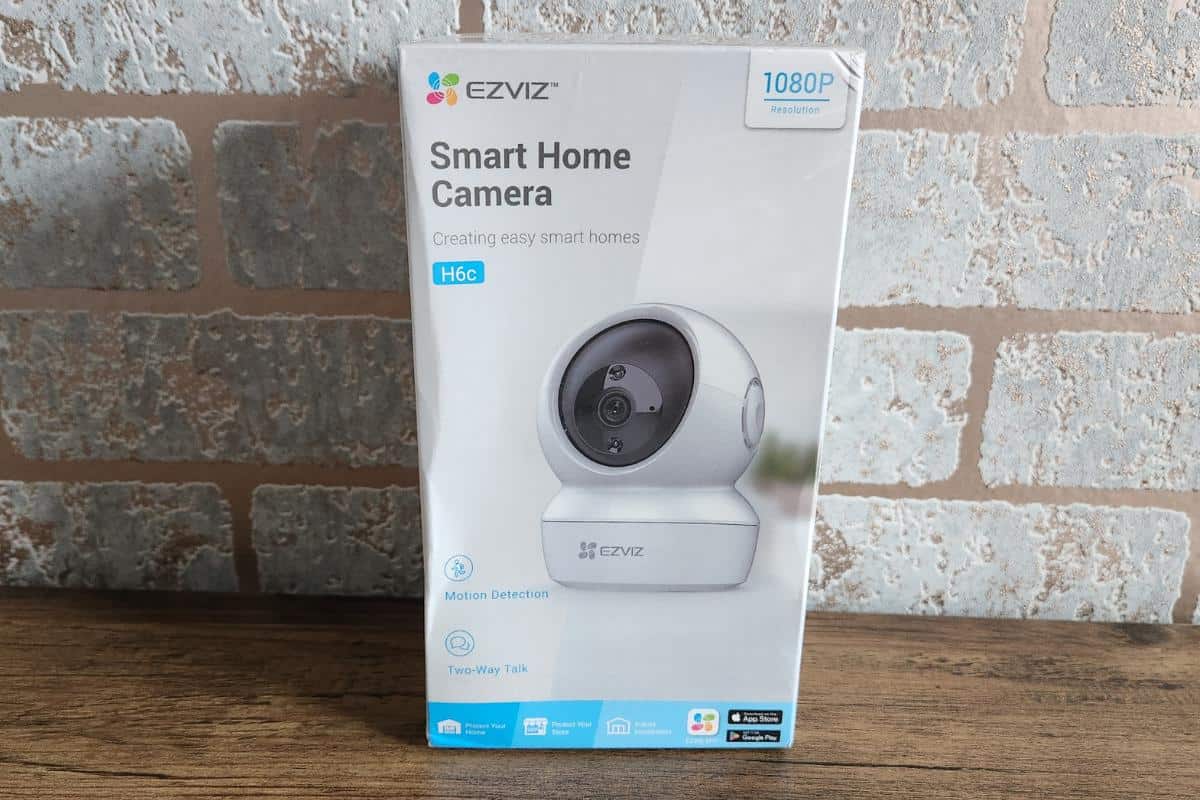
The EZVIZ H6C is an indoor WiFi security camera designed to let you check what’s happening at home from your phone. Unlike a fixed camera that only shows you one part of a room, the H6C can pan and tilt, giving you a much wider view.
This could be particularly useful if you want a camera for watching pets while you’re out, checking your home when you’re away or simply seeing whether the suspicious noise downstairs was a burglar or, rather more likely in my house, somebody looking for food!
The version I tried records in 1080p and includes night vision, motion detection, two-way audio and options for both local and cloud storage.
What is the EZVIZ H6C picture quality like?
For an indoor camera, I’ve found the 1080p picture perfectly adequate for seeing what is happening around the room. You aren’t buying this to create beautiful video footage; you want to be able to clearly see people, pets and what’s going on at home, and that’s what matters.
The H6C also has night vision with a quoted range of up to 10 metres, so the camera doesn’t become useless as soon as the lights go off. If you’re planning to use it for home security or checking on pets overnight, that’s obviously an important feature.
Does the EZVIZ H6C have two-way audio?
Yes. The H6C has two-way audio, which means you can listen through the camera and speak through it using the app.
It’s one of those features you might not think you’ll use very often until you have it. Depending on why you’re using the camera, you could speak to someone at home, reassure a pet or simply tell a family member that yes, you can see what they’re doing!
Local and cloud storage
You don’t necessarily have to rely on cloud storage with the H6C. The camera supports a MicroSD card for local recordings, or you can use EZVIZ CloudPlay if you’d prefer cloud storage.
I like having the choice because not everyone wants another subscription. Before buying, I’d check the current CloudPlay prices directly with EZVIZ if you’re planning to use it, as subscription prices can change.
How easy is the EZVIZ H6C to set up?
Because I’d already used another EZVIZ camera, I was familiar with the app, but the setup itself is straightforward. The H6C connects to 2.4GHz WiFi and needs to be plugged into power. Once it’s connected through the EZVIZ app, you can view the live camera feed from your phone.
The Design
The design of the H6C isn’t just about mixing usefulness with looks; it’s also really sturdy and can sit stable on any surface – like a bookshelf or in the corner of your living room.
Connecting the H6C to WiFi
The H6C uses 2.4GHz WiFi, so that’s something worth knowing before you buy it. Once connected, you control the camera through the EZVIZ app.
As I already use the app with my EZVIZ C8C outdoor camera, I found it straightforward having both within the same system rather than needing another separate smart-home app.
Using the EZVIZ H6C day to day
Once the camera is set up, most of what you do with it happens through the app. You can view the camera remotely, move the viewing angle, receive motion alerts and access recordings depending on the storage option you’re using.
The pan-and-tilt function is probably one of the biggest reasons to choose the H6C over a basic fixed indoor camera because you aren’t restricted to watching one small area of the room.
Motion detection and alerts
The H6C can detect movement and send an alert to your phone, allowing you to check what’s happening without constantly watching the live feed.
Combined with the camera’s ability to pan and tilt, this gives you a much wider view of the room than you’d get from a fixed camera. I think this is particularly useful if you’re using it to watch pets because, as anyone with pets knows, they rarely have the decency to stay exactly where you’ve pointed the camera!
Using the EZVIZ app
I’ve used the EZVIZ app for a while because I already have experience with the EZVIZ C8C outdoor camera, and I’ve found it easy to navigate.
From the app you can view the live feed and access recordings as well as control the camera remotely. Having indoor and outdoor EZVIZ cameras within the same app is also convenient if you’re using more than one camera around the home.
I generally prefer smart-home products that don’t require me to install yet another app and create yet another account, so being able to add the H6C to something I was already using was a definite plus for me.
How much does the EZVIZ H6C cost?
The H6C sits towards the affordable end of the indoor security-camera market, although the price varies depending on offers and where you buy it.
Rather than giving you a price here that could be out of date by the time you read this, I’d recommend checking the current price before buying.
What I liked about the EZVIZ H6C
For me, the biggest positives are how easy it is to use, the ability to move the camera remotely rather than being stuck with one viewing angle, and the fact that it works within the same EZVIZ app I already use.
It’s also a relatively inexpensive way of adding an indoor camera without committing to a much bigger home-security system.
I also like having the option of MicroSD storage rather than being forced into cloud storage.
Is the EZVIZ H6C worth buying?
After using it, I think the EZVIZ H6C makes most sense for someone who wants a straightforward and affordable indoor camera rather than an elaborate home-security system.
The pan-and-tilt function is particularly useful because you can look around the room remotely instead of relying on whatever happens to be directly in front of the lens. Motion alerts, night vision and two-way audio also make it useful for much more than watching for intruders. I can see plenty of people buying one primarily to check on pets or see what’s happening at home while they’re away.
For me, already having another EZVIZ camera is another advantage because both can be managed through the same app.
There are more sophisticated cameras available if you’re building a comprehensive security setup, but that’s not really what I’d buy the H6C for. If you want an inexpensive indoor camera that’s simple to use and gives you a good view around the room, I think it offers a useful set of features for the money.


